How to Sum Shopify Revenue When Every Money Column Lands Twice
Every Shopify money field lands twice, once in your store's currency and once in whatever currency each customer paid in. The semantic model binds revenue to one and refuses to sum the other.


Query Shopify presentment currency in a data warehouse and the sum runs clean, returns one number, and quietly adds euros to dollars. The column that would have caught it is sitting in the same table, one name away.
A finance lead asks what the store sold last month.
The agent finds ORDER, finds a column called total_price_set_pres_amount, and sums it. Presentment. The amount the customer was actually presented with and actually paid, which is what a revenue question means. The query compiles. The join keys line up. One row per month, one number per row.
Every number in that column is real. Not one of them is in the same currency as the one above it.
Before you start
- Shopify replicated into a warehouse. Postgres, Snowflake, BigQuery and Redshift all work.
- Read access. A read-only role is the right one.
No store? A Shopify Partner development store is free, has no time limit, and a partner can create as many as they want. It carries full admin, apps and themes, which matters here because Shopify Markets and multi-currency pricing are the features this trap needs. The gotcha: a development store cannot process real transactions, so orders go through the test gateway, and taking real orders means transferring or upgrading it to a paid plan.
Nothing in a warehouse yet? Fivetran's Shopify connector is managed. Choose the schema deliberately, because the GraphQL toggle is a setup-time decision that cannot be changed afterwards. Casing varies by extract tool and destination, and ORDER is a SQL reserved word, so every query below quotes it.
The question
What did the store sell last month?
Concrete, checkable, and asked at the top of every month. It needs one thing from the warehouse: an order total that can be added up.
What breaks
Here is the query, on the GraphQL schema, and it runs clean:
select date_trunc('month', o.processed_at) as month,
       sum(o.total_price_set_pres_amount)  as revenue
from   shopify."ORDER" o
where  o.cancelled_at is null
group  by 1
order  by 1;
No error. No warning. One column of numbers.
Take the smallest version of it. Two orders, which is exactly what you will place yourself in the reproduction steps below: one customer in Berlin checks out at 100 EUR, one customer in Chicago checks out at 100 USD. Both rows land. total_price_set_pres_amount reads 100.00 on both. The sum is 200.00.
Two hundred of what?
There is no answer, because the column holds two units and the sum discarded both. The value is not wrong in the way a bad join is wrong, where a row count gives it away. It is wrong in the way a unit error is wrong: arithmetically correct, structurally meaningless, and indistinguishable from a good number by looking at it.
Scale that to a store on Shopify Markets selling into four regions and the monthly figure is a sum of four currencies with a euro sign put in front of it by whoever built the dashboard.
The column that would have caught it is total_price_set_pres_currency_code, sitting in the same table, one name away, joined to nothing.
Why it breaks
Shopify's GraphQL Admin API does not return money as a number. It returns a MoneyBag, which is a pair: shopMoney and presentmentMoney, each an amount plus its currency code. Shop money is the store's own currency. Presentment money is the currency that customer saw and paid in, and on any store using Shopify Markets or multi-currency pricing it varies per order.
Fivetran flattens that pair into four columns for every single money field:
| Column | What it holds |
|---|---|
total_price_set_shop_amount |
the total in the store's own currency |
total_price_set_shop_currency_code |
that currency, the same on every row |
total_price_set_pres_amount |
the total in the customer's currency |
total_price_set_pres_currency_code |
that currency, different per order |
Only one of those four amounts can be summed across rows. The schema does not say which.
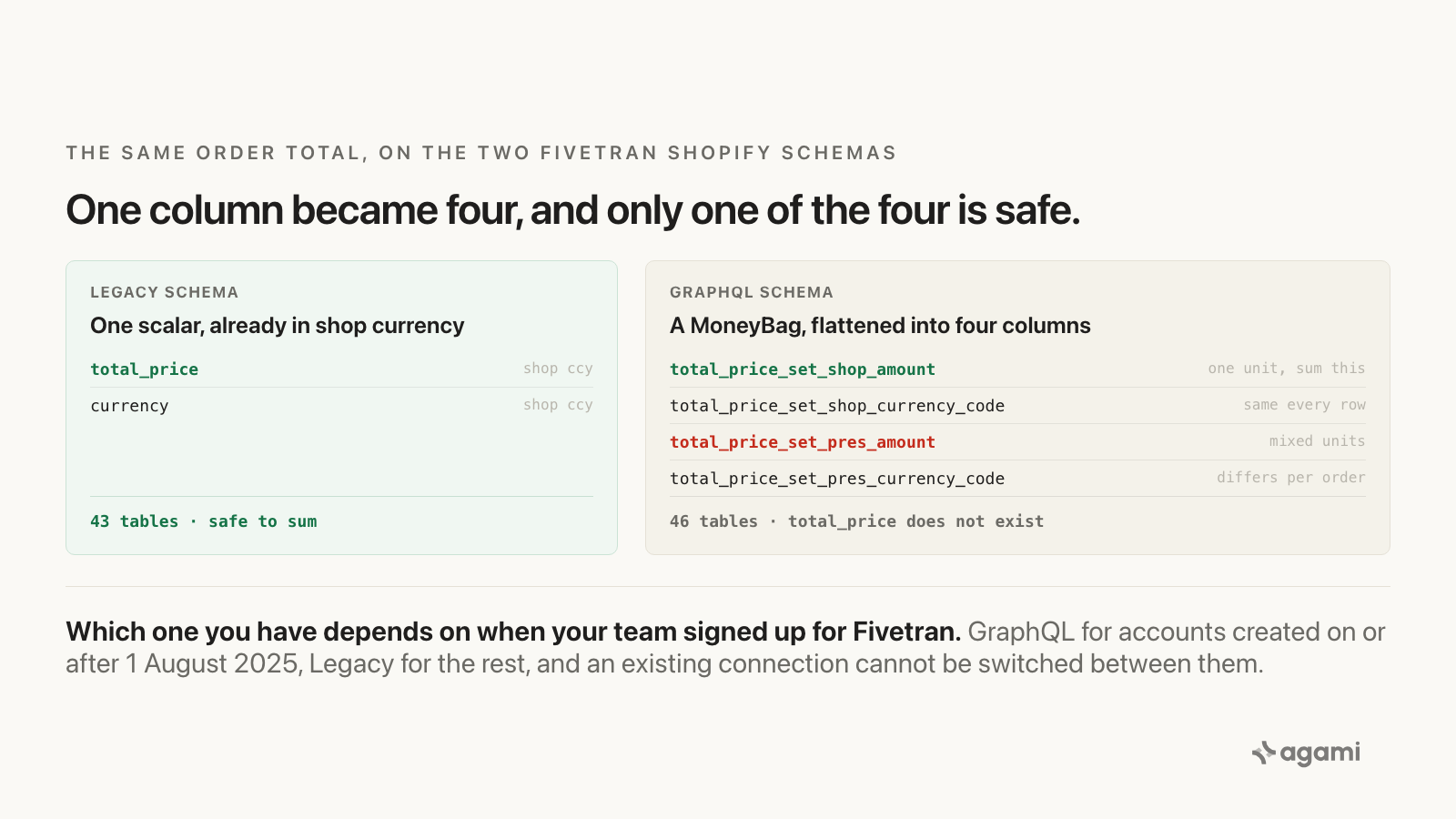
One money field, two schemas, and four columns where there used to be one.
And there is a second problem underneath the first, which is that there are two Shopify schemas and you may not know which one you have. Fivetran states the selection rule on the connector page:
"GraphQL schema applies to Fivetran accounts created on or after August 1, 2025, and to connections with the GraphQL Schema toggle enabled. Legacy schema applies to all other connections."
And, above it:
"You cannot directly switch an existing connection from the Legacy schema to the GraphQL schema. The GraphQL schema and the Legacy schema are not identical."
So the shape of your landed schema is a function of when your data team signed up for Fivetran, and nothing in the warehouse records which one you got. The two are close enough to be confusing and far enough apart to break a query: the Legacy source package documents 43 tables, the GraphQL package 46, and on Legacy total_price is a single scalar that the package describes as being in the shop currency. One column, one currency, safe to sum. On GraphQL, total_price does not exist at all.
A query written against one schema and pasted against the other does not fail. It finds a nearby column name and returns a different number.
What Shopify did for you
Resolved the currency question before you ever saw it.
Shopify's Help Center describes store currency as the currency of your admin and the currency that displays in your reports. A sale taken in a customer's local currency is converted to store currency automatically for admin reporting. A merchant looking at Analytics has never once had to choose between two amounts, because Shopify chose, every time, and chose shop currency. Shopify has since added a currency picker that converts to any currency using historical rates, which sharpens the point rather than softening it: the app has a considered position on currency conversion.
That position lives in the reporting layer. Replication copies tables. The tables arrive, both amounts arrive, and the position does not, because it was never a column.
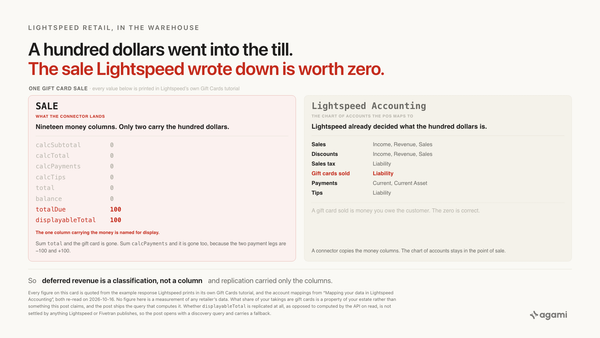
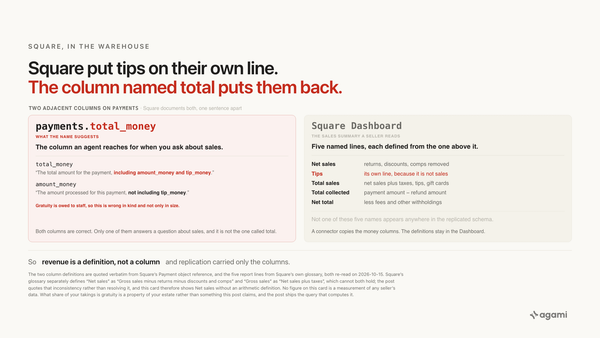
This is the same shape as the Salesforce "Opportunities with Products" report type holding a line-item grain that replication left behind, and it is the recurring lesson of this series: the boundary that made the app's number correct was a property of the app's reporting layer, not of its tables, and the tables are all that crossed into the warehouse.
The fix
The fix is not a better prompt. It's a semantic model: the layer that tells an agent what your columns mean before it writes any SQL. Governance does not live in the prompt, and a currency rule enforced by asking nicely is a currency rule that holds until someone rephrases the question.
First, find out which schema you are on. This has to come first, because the columns in the two queries below only exist on one of them:
select column_name
from   information_schema.columns
where  lower(table_name) = 'order'
  and  column_name in ('total_price', 'total_price_set_shop_amount');
total_price means Legacy. total_price_set_shop_amount means GraphQL. Record the answer once, as a person, rather than re-deriving it per query.
Second, declare what the money columns mean. The entity carries the rule, including the part that says which column must never be aggregated:
entities:
  - name: order_money
    primary_table: order
    description: >
      Shopify money on the order header. On the Fivetran GraphQL schema every
      money field lands as a four-column MoneyBag: <field>_set_shop_amount,
      <field>_set_pres_amount, and a currency code for each. shop_amount is in
      the store's own currency and is single-valued across the store.
      pres_amount is in the currency the individual customer checked out in and
      varies per order on any store using Shopify Markets or multi-currency
      pricing. Aggregate metrics bind to shop_amount. On the Fivetran Legacy
      schema the same value is the single scalar order.total_price, already in
      shop currency.
    resolves_to:
      graphql_schema:
        amount_column: total_price_set_shop_amount
        currency_column: total_price_set_shop_currency_code
        forbidden_for_aggregation: [total_price_set_pres_amount]
      legacy_schema:
        amount_column: total_price
        currency_column: currency
    source: https://shopify.dev/docs/api/admin-graphql/latest/objects/Order
Third, declare the metric people actually ask for, bound to the one column that can be added up:
name: shopify_revenue
calculation: >
  Sum of Shopify order totals in the store's own currency, excluding
  cancelled orders. Gross of returns.
bindings:
  PostgreSQL: >
    SUM("order".total_price_set_shop_amount)
source_tables: [order]
primary_table: order
other_names: [shopify sales, store revenue, gross sales]
default_filters:
  - '"order".cancelled_at IS NULL'
Fourth, and this is the part most models skip. Asking for presentment amounts is legitimate. A finance team reconciling against a payment processor wants exactly that. What is never legitimate is a single scalar across them, so the metric is declared with no ungrouped form:
name: shopify_revenue_by_presentment_currency
calculation: >
  Order totals in the currency each customer actually checked out in, ALWAYS
  grouped by that currency. This metric has no ungrouped form: a single scalar
  over presentment amounts is a sum of mixed units, and the semantic layer
  refuses it rather than returning it.
required_group_by: [total_price_set_pres_currency_code]
source_tables: [order]
primary_table: order
default_filters:
  - '"order".cancelled_at IS NULL'
That last block is the difference between a model that documents a hazard and a model that prevents one. An agent asking for presentment revenue gets a currency breakdown or a stated refusal. It cannot get 200.00.
The rule is written down once, in the open, and every question inherits it. That is what makes the answer auditable: you can point at the line that decided it.
Reproduce it yourself
This one runs end to end from nothing, which is unusual for this series.
- Create a Shopify Partner development store. Free, no time limit, full features.
- Turn on a second currency. Shopify Markets, or multi-currency pricing. Without this the trap cannot be reproduced at all, and none of the seeded test datasets creates multi-currency orders, so this step is not optional.
- Place two test orders through the test gateway, one in each currency, for the same amount. Two minutes.
- Sync into a warehouse with the Fivetran connector, GraphQL schema.
- Run the wrong query from the top of this post. It returns one number and no unit.
- Run the gap query below and watch it split.
The gap query is the one worth keeping, because it works on your real store as well as your test one:
select o.total_price_set_pres_currency_code as presentment_ccy,
       count(*)                             as orders,
       sum(o.total_price_set_pres_amount)   as summed_as_if_one_currency
from   shopify."ORDER" o
where  o.cancelled_at is null
group  by 1
order  by 3 desc;
More than one row means every unqualified presentment sum in your warehouse is wrong, and the rows tell you by how much and in what. Run it before you go looking for the dashboards that need fixing.
And the corrected version of the original question:
select date_trunc('month', o.processed_at)       as month,
       sum(o.total_price_set_shop_amount)        as revenue_shop_ccy,
       min(o.total_price_set_shop_currency_code) as ccy
from   shopify."ORDER" o
where  o.cancelled_at is null
group  by 1
order  by 1;
Shop currency is single-valued for a store, so this sums one unit and names it in the output.
Frequently asked questions
What is the difference between shop currency and presentment currency in Shopify?
Shop currency is your store's own currency, the one your Shopify admin and reports display. Presentment currency is the currency an individual customer saw and paid in at checkout. Shop currency is the same on every order; presentment currency varies per order on any store using Shopify Markets or multi-currency pricing.
Why does my Shopify revenue query return a number that looks too big?
If it sums a presentment amount across orders in different currencies, it added different units together. The result is arithmetically correct and has no meaning. Group by total_price_set_pres_currency_code to see the split, or sum total_price_set_shop_amount for a single-currency total.
Which Fivetran Shopify schema do I have, Legacy or GraphQL?
Check whether ORDER has a total_price column or a total_price_set_shop_amount column. Fivetran applies the GraphQL schema to accounts created on or after 1 August 2025 and to connections with the GraphQL toggle enabled, and Legacy to everything else. An existing connection cannot be switched between them.
Can I convert presentment amounts to one currency in SQL?
Not from the Shopify tables alone. They carry the amounts and the currency codes, not the rates used. Converting means bringing your own rate table and choosing a rate policy, which is a finance decision rather than a schema one. Summing shop amounts avoids the question entirely.
Is total_price net of refunds?
No. Both total_price amounts are documented as being before returns. Netting them needs the REFUND and ORDER_LINE_REFUND tables, and Fivetran only creates a table once the source returns data for it, so a store that has never issued a refund has no REFUND table rather than an empty one.
References
- Shopify connector overview, Fivetran. The two-schema rule, the 1 August 2025 account cutoff, the statement that the schemas are not identical, and the rule that a table is created only when the source returns data for it.
MoneyBag, Shopify GraphQL Admin API. Money as a pair of shop and presentment amounts.Order, Shopify GraphQL Admin API. Per-order presentment currency for international customers and multi-currency pricing.dbt_shopify_source, GraphQL schema definitions. The GraphQL schema column by column, including the flattened money-bag columns.dbt_shopify_source, Legacy schema definitions. The Legacy schema, wheretotal_priceis a single scalar in shop currency.- Currency conversions and exchange rates, Shopify Help Center. Store currency is the currency your reports display.
- Shopify Partners. Free development stores, their feature access, and the test-gateway limit.
- agami-core on GitHub
Make your Shopify data answerable
Agami is the semantic layer between your AI assistant and your warehouse. It declares what each column means, which joins are safe, and which questions the data cannot answer, so an agent returns a governed number or says why it cannot.