How to Build a Salesforce Semantic Model That Can't Double-Count Your Pipeline
A four-step walkthrough on replicated Salesforce: introspect the schema, correct the grain and the custom fields, sign the definitions off, then verify the breakdown ties to the total.

Ask an AI for open pipeline by product against replicated Salesforce and you get two different numbers. Both come from valid SQL.
$245,520,100what the obvious query returns$98,128,050the real open pipeline
The gap is $147 million, and the previous post in this series traced where it comes from. The deal amount lives on opportunities, one row per deal. The product lives on opportunity_line_items, one row per product. Join them to break pipeline out by product and every deal repeats once per product it carries, still holding the full amount. The average deal carried 2.5 products, and the overstatement was exactly 2.5x.
Inside Salesforce this never came up. The standard "Opportunities with Products" report type is defined at the line-item grain, so the CRM quietly held that boundary for you. Replication copies the tables and leaves the boundary behind.
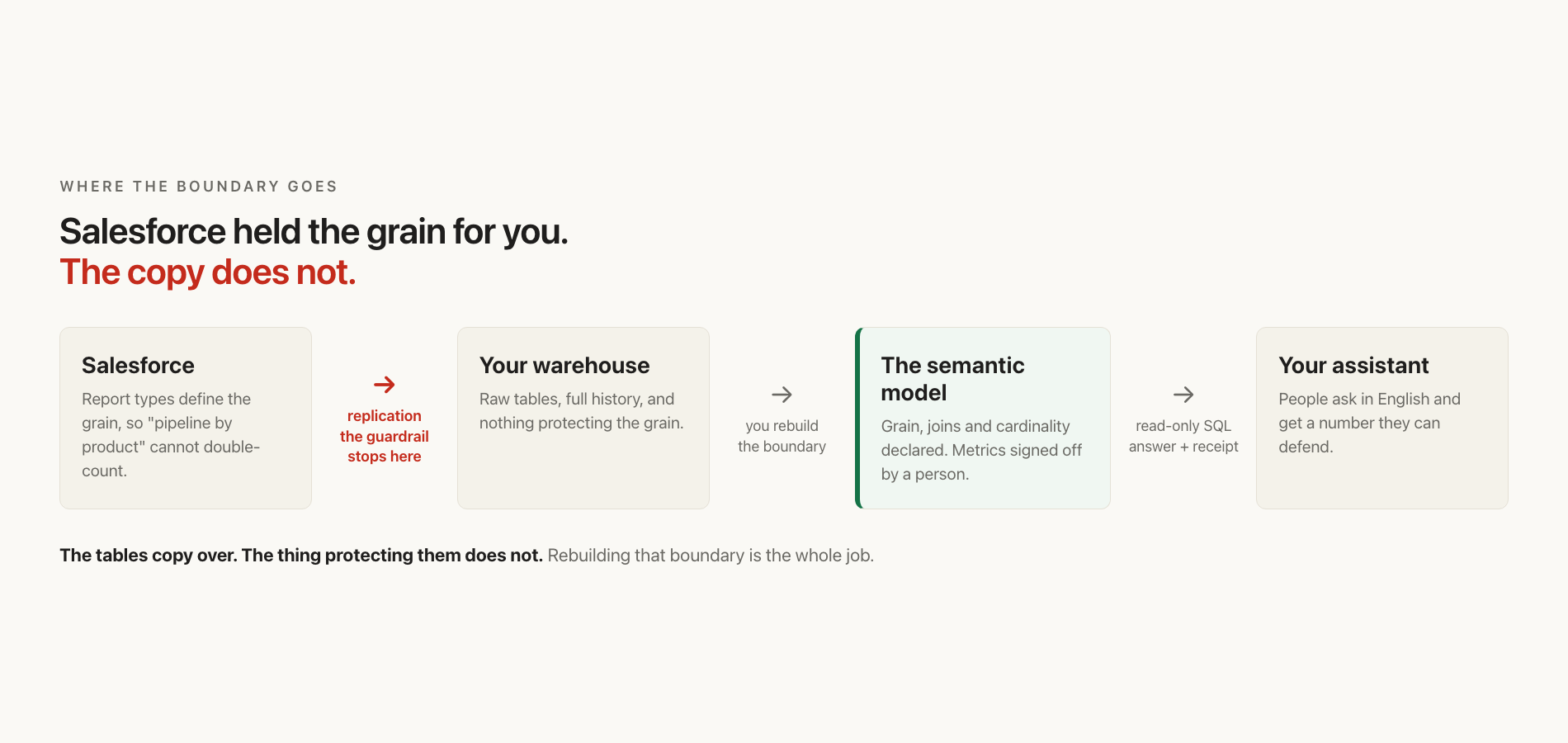
The tables copy over. The thing protecting them doesn't.
This guide rebuilds that boundary in four steps. The tooling reads a few hundred tables in minutes. You add the handful of facts about your business that it has no way to know. You do that once, and every answer after it inherits them.
Before you start
You need three things:
- Salesforce replicated into a warehouse. Postgres, Snowflake, BigQuery, Redshift and Databricks all work. This guide shows Postgres syntax; the modelling is identical everywhere.
- Read access to it. A read-only role is the right one to use, and the only one this needs.
- agami-core installed, which is source-available and runs locally.
Roughly an afternoon, though the honest answer is that it scales with how many numbers your business argues about rather than how many tables you replicated.
No org, or nothing replicated yet? A Developer Edition org is free indefinitely and ships with sample data; 180 days without a login queues it for deletion, which is the only clock worth knowing. Fivetran and Airbyte both land these tables through the Bulk API. Table casing varies by extract tool, so check yours against the SQL here.
Why it's worth the afternoon
In April 2026 dbt Labs re-ran a text-to-SQL benchmark on the ACME Insurance dataset: fifteen tables, eleven analytical questions, each asked twenty times. Two frontier models answered them twice, once against the raw schema and once through a semantic layer.
| Model | Raw schema | Through a semantic layer |
|---|---|---|
| Claude Sonnet 4.6 | 90.0% | 98.2% |
| GPT-5.3-Codex | 84.1% | 100% |
dbt Labs sell a semantic layer, so read it with that in mind, and read the gap rather than the absolute figures. Both models are already strong at writing SQL. Both got materially better once the definitions were declared instead of inferred.
What a benchmark can't tell you is which errors went away. That's what the four steps below are for.
Step 1. Introspect the schema
Point the tooling at your warehouse:
/agami-connectWhat you get. It reads the database and drafts a model:
- subject areas, tables, and columns with their types
- primary keys and foreign keys
- the relationships between tables, and the cardinality of each one
- columns that look like they hold personal data
On a replicated Salesforce estate, that's a few hundred tables in minutes. It's genuinely good at this part.
What it can't know. Nothing in opportunities records that when your company says "pipeline by product" it means the line-item grain and not the deal roll-up. Nothing in the column list explains that main_competitors__c is how your team segments competitive deals. Those are facts about the business, and the only place they exist is in the head of someone who works there.
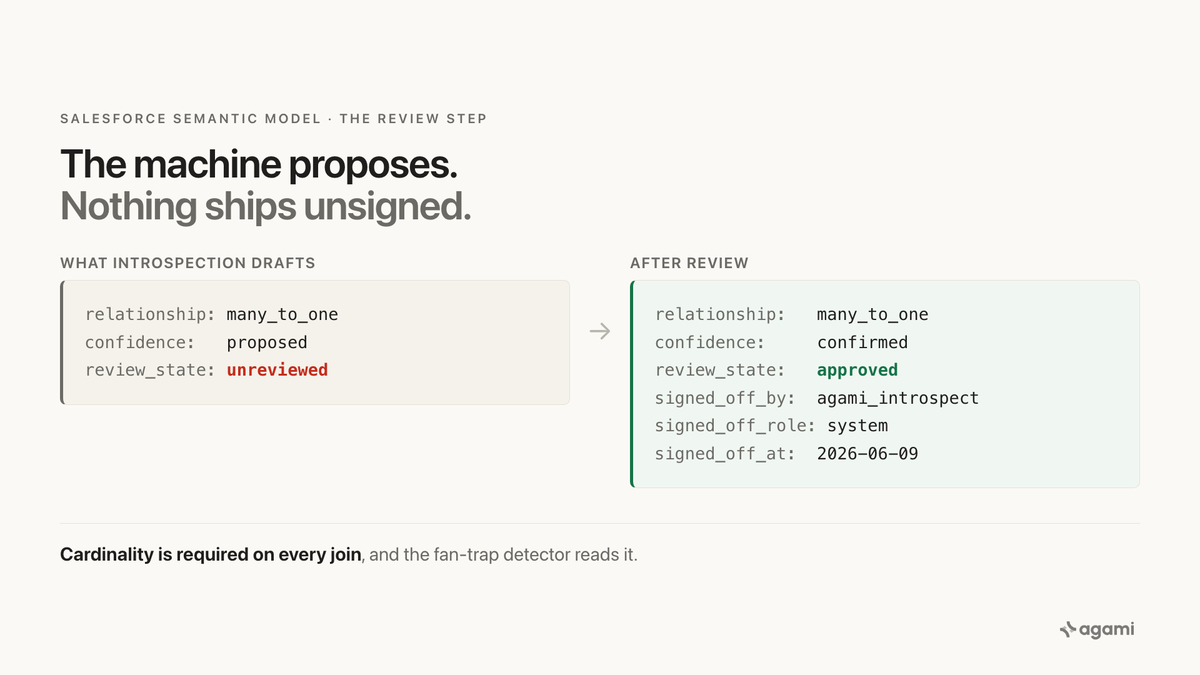
So every definition it writes arrives marked as a proposal, and says so in the file:
name: open_pipeline
calculation: Open pipeline at the deal grain (USD, open opportunities only).
bindings: { PostgreSQL: "SUM(opportunities.amount)" }
source_tables: [opportunities]
other_names: [pipeline, open pipe]
confidence: proposed
review_state: unreviewed             # Rule 1: needs sign-off before the runtime uses it
review_state: unreviewed is the line that matters. A query using an unreviewed definition still answers, but the answer carries a warning that it may differ from your official reports.
Step 2. Correct what it could not know
Open the review queue:
/agami-modelYou're looking at every proposal it made. Three corrections carry most of the weight on Salesforce data.
2a. Confirm the joins and their cardinality
Approve the joins that came from foreign keys. Those are almost always right. Slow down on any the tool inferred without an FK behind it, which is common on replicated data where the sync drops constraints.
Cardinality is a required field on every join, and it's not bookkeeping:
relationship: many_to_one # REQUIRED: the fan-trap detector consumes this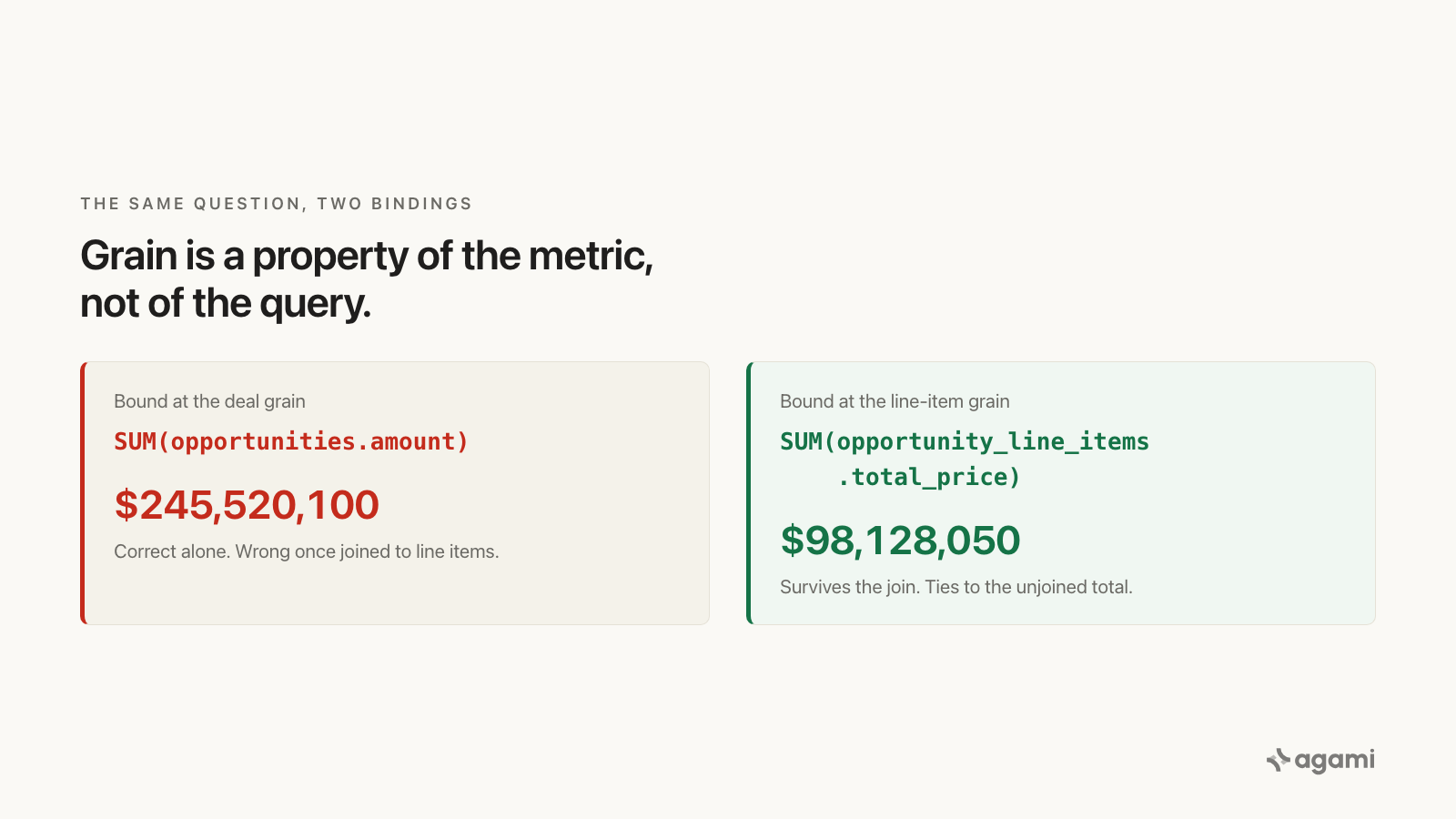
Which table a measure lives on decides whether it survives a join.
Once the model knows opportunity_line_items → opportunities is many-to-one, summing a deal-grain measure across that join becomes a detectable mistake rather than a plausible query.
The fan trap was never a SQL problem. It was a missing declaration.
2b. Bind every money metric to its grain
For each money metric, ask which table it lives on and whether it survives a join to a finer one. Pipeline by product is a line-item question, so it binds to the line-item measure. You write this; it doesn't ship in the box:
name: pipeline_by_product
calculation: Open pipeline at the line-item grain, so it survives a join to product.
bindings: { PostgreSQL: "SUM(opportunity_line_items.total_price)" }
source_tables: [opportunity_line_items]
Not SUM(opportunities.amount), which is correct at the deal grain and wrong one join later.
2c. Describe the custom fields
Salesforce suffixes custom fields with __c, and a real org carries dozens. Even a stock org ships several on the opportunity:
delivery_installation_status__c
tracking_number__c
order_number__c
current_generators__c
main_competitors__c
Introspection finds the column and stops at its shape:
- { name: main_competitors__c, type: string }An agent will never reach for that, because nothing tells it to. What a person adds is the meaning, and it's one field (the wording below is an illustration, since only your team knows what your fields hold):
- name: main_competitors__c
  type: string
  caveats:
    - "Vendors named on the deal, entered by AEs at qualification.
       This is the field the team means by 'competitive deals'."
Picklists need the same treatment for a different reason. Salesforce stores the code, not the label, so a status column arrives as values nobody outside the org can read. Map them explicitly:
- name: delivery_installation_status__c
  type: string
  choice_field: { "IP": In Progress, "YT": Yet to Begin, "CP": Completed }
Without that, "how many deals are stuck in installation" hasn'thing to resolve against. With it, the question answers itself and keeps answering for everyone who asks after you.
In an org carrying a hundred __c fields, this is most of your business logic. It's also the highest-leverage typing you'll do all week: every field you describe is a question your team can ask from then on, without asking you.
Step 3. Sign it off
A correction nobody signed is still a guess. When you approve a definition, the model records who did it and when. The definition itself doesn't change, only its standing (the signer below is illustrative; it will be whoever on your team owns the number):
- confidence: proposed
- review_state: unreviewed
+ confidence: confirmed
+ review_state: approved
+ signed_off_by: dana@example.com
+ signed_off_role: data_lead
+ signed_off_at: "2026-08-11T16:20:00Z"
The validator enforces the pairing: an approved definition needs signed_off_by, signed_off_role, and a non-empty calculation, or the file is rejected. You can't mark something approved without recording who approved it.
signed_off_role is a fixed set (cfo, cto, data_lead, engineer, analyst, other), which matters more than it looks. It's the difference between "someone approved this" and "we can tell you which someone".
That's also the difference between a governed model and a YAML file with optimistic comments in it.
Step 4. Verify the tie-out
Ask the question in plain English and read the receipt, not just the figure:
what is our open pipeline by product line?The receipt names the tables, the joins, and the metric definitions the answer used. Check that the metric it resolved is the one you signed off.
Then reconcile, which is the cheapest audit available to you. Total the per-product breakdown and compare it against the same measure with no join at all:
open pipeline by product, breakdown summed$98,128,050open pipeline, no join$98,128,050✓ reconcilesdifference: 0
Those two numbers have to match. That exact tie-out is the tell that you found the right grain: the line items sum to the deal, so counting them once per product neither double-counts nor drops anything.
When it doesn't reconcile
A difference means the breakdown is counting something more than once. Work through it in this order:
- Check the grain of the measure in the receipt. If it names a deal-grain column while the breakdown is per product, that's your fan trap. Rebind it, as in step 2b.
- Check the cardinality on every join in the path. An undeclared or wrong
relationshipis what lets the mistake look plausible. - Check for a second fan-out further down. Deals to line items is the common one, but line items to schedules or to revenue splits will do the same thing again.
It's worth fixing rather than rounding past, because the error isn't uniform. A product attached to big multi-product deals inherits the whole deal amount once for every other product on it, so accessories and services ride up on the hardware they're bundled with.
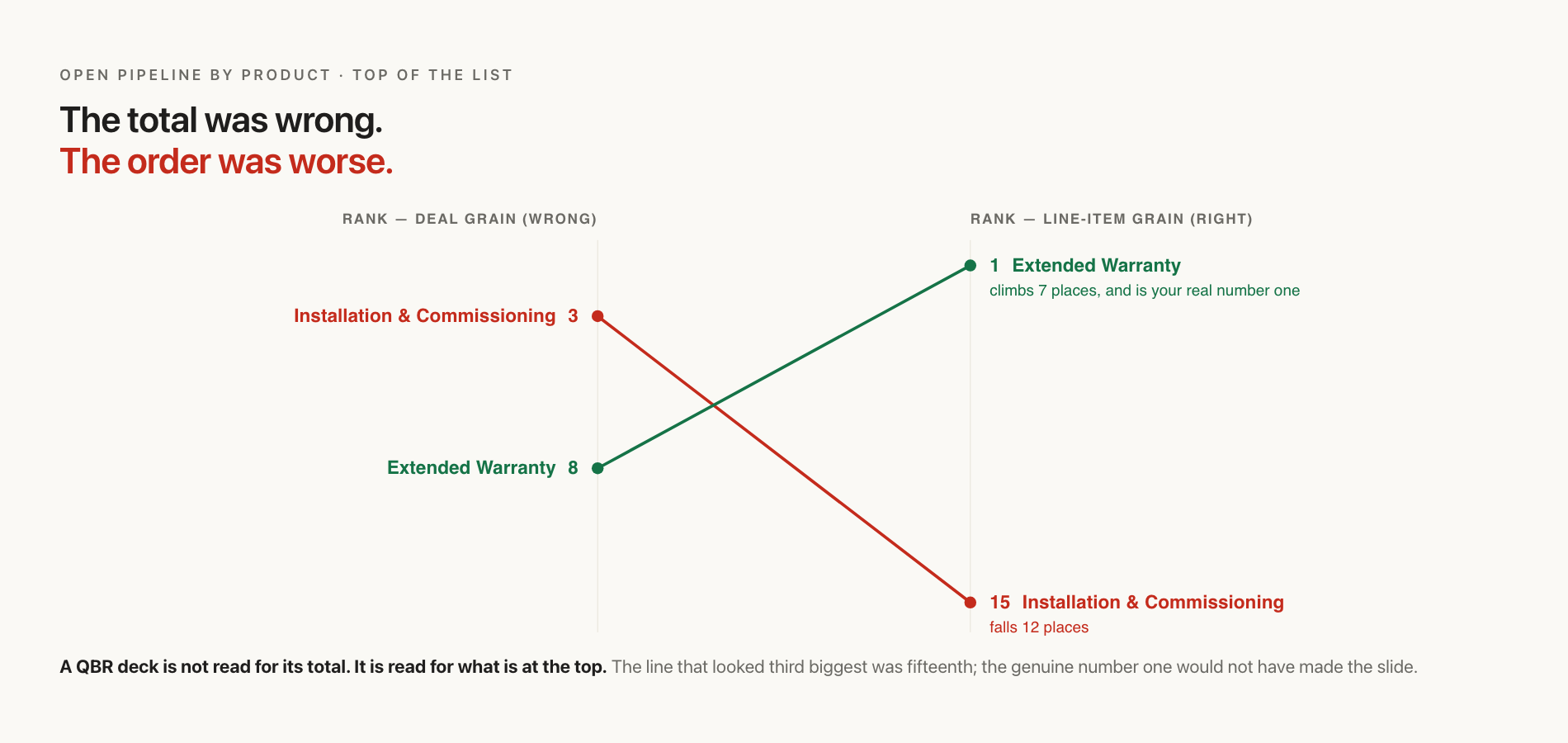
Two lines swap ends. A QBR deck isn't read for its total; it's read for what's at the top.
The line that looked like the third biggest was the fifteenth. The genuine number one looked eighth and wouldn't have made the slide at all.
Step 5. Run it locally
Nothing else is required. The model is a set of files on your machine, and the tooling reads them where they sit: no server, no port, no URL. Your credentials, your schema, and your query results never leave the laptop.
Day to day, that means asking in the same session where you built it:
which product lines are growing fastest this quarter?Every answer resolves against the definitions you just signed off, and carries a receipt naming which ones it used. When someone disagrees with a number, the receipt is the conversation.
If you'd rather ask from the Claude desktop app than the terminal, one command wires it up:
/agami-serveThat detects the right Python interpreter, installs what it needs, and merges the entry into your config with a timestamped backup. Still local: the server runs as a child process on your own machine, over stdin and stdout, with no URL and no port.
A model only you use is already worth having, because the definitions it holds outlive the questions that prompted them.
Step 6. Get it to the rest of your team
Both surfaces above run on your laptop, which is exactly why they stop at its edge. The moment someone who isn't sitting at your machine needs the same answer, you have a distribution problem, and it's where teams lose a week.
Cowork, claude.ai, and ChatGPT connect inbound from the vendor's cloud. They can't launch anything on your laptop, so a config file will never reach them, no matter how correct it is. They need an endpoint they can dial. The deciding question is never which app you prefer. It's who opens the connection.
That's the next walkthrough in this series, with the hosted endpoint, the two ways the local route fails silently, and the connector path for each client: How to connect your warehouse to Claude, Cowork and ChatGPT.
Once it's reachable, it runs in whatever assistant your team already opens in the morning, so the answer lands in the same conversation as the rest of the work. That's also the point where a governed number stops being something people look up and starts being something other systems can act on, which is where this series goes next.
What carries over to every other app
The specifics here are Salesforce. The shape isn't.
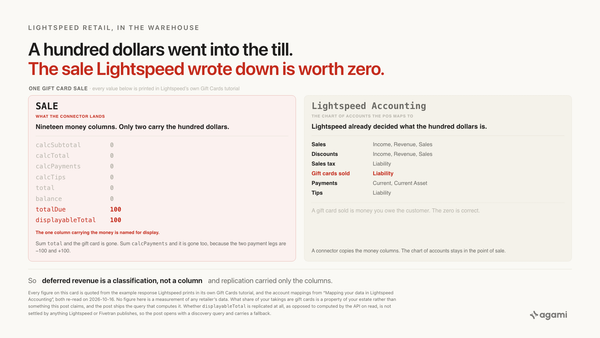
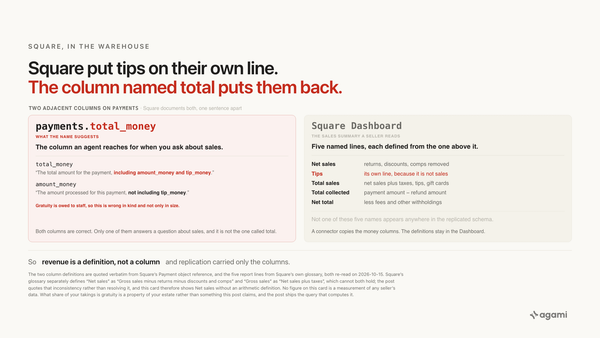
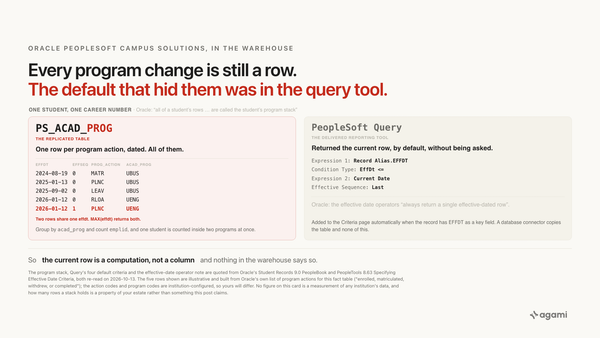
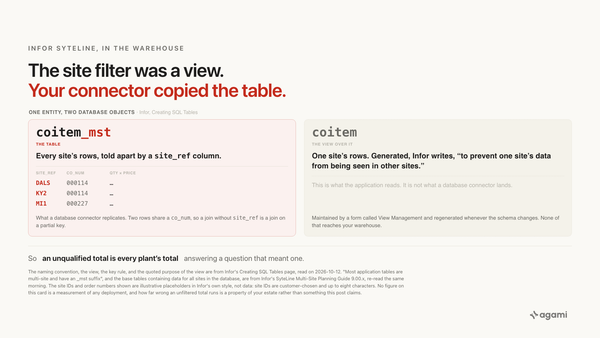
Every enterprise application stores the same business fact at more than one grain, and hides its real meaning in fields the schema can't describe. ServiceNow does it with table inheritance, where incident extends task and the relationship isn't a foreign key at all, so introspection hasn'thing to infer from. NetSuite does it across transactions and transactionlines, with a polymorphic type column you must filter before summing anything.
Same four steps, different specifics.
Build one against your own schema.
agami-core is source-available. Point it at your warehouse, review what it drafts, and check whether the breakdown ties to the total.
Get agami-core or bring us the metric two teams define differently →
Frequently asked questions
How long does the review actually take? The joins go fast, because most are FK-derived and already correct and you're confirming rather than authoring. The time goes into the money metrics and the custom fields. It scales with how many numbers your business argues about, not how many tables you replicated. A 40-table estate with six contested metrics takes longer than a 400-table one with two. Start with the metrics that reach a slide.
Can I skip the review and just use what introspection drafted? It will answer. Unreviewed definitions carry a warning that the result may differ from your official reports, which is honest but not what you want under a number in a board deck. The review is what converts a draft into something you can defend.
What happens when Salesforce schema changes? Re-introspect. New tables and columns arrive as fresh proposals in the review queue, and your existing sign-offs are preserved, so you review the delta rather than starting over.
Do I need the warehouse, or can I point this at Salesforce directly? This guide assumes replicated data, because that's where the history lives and where the problem appears. The modelling steps are the same either way.
References
- agami-core semantic model format specification
- agami-core trust layer: confidence, review states and receipts
- Salesforce Object Reference: OpportunityLineItem
- dbt Labs: Semantic Layer vs. Text-to-SQL, 2026 Benchmark Update
- agami-core: the local MCP server and the desktop config file
src_salesforce.yml, Fivetran's Salesforce connector source definition. Apache-2.0. Documents all 485 columns, and carries the Amount roll-up sentence verbatim. The Salesforce Object Reference page cited above returns HTTP 403 to a fetcher, so this is the readable copy.- agami-core on GitHub